Ensure you have downloaded the latest version of
Métro  and
please read the "ReadMe" file in the zip file. and
please read the "ReadMe" file in the zip file. |
| |
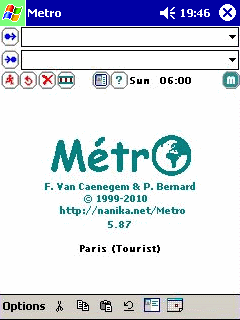
| Start Screen |
| |
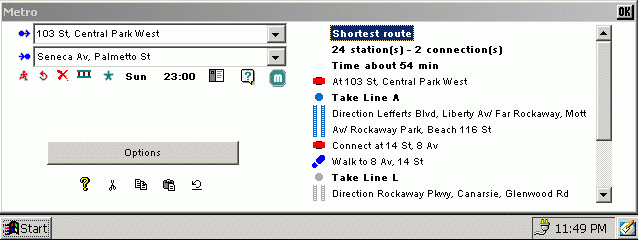
At the bottom you can see the full name of the database
and the following information:
 |
Number of lines |
 |
Number of stations |
 |
Number of places of interest |
 |
Last update of the database |
 |
Launch the Address Book, with the Metro syntax for the last station in the clipboard.
You'll just have to paste it in your contact note. |
 |
Launch the Calendar, with the last computed route. You'll just have to paste it in
your appointment note. |
|
 |
| Top |
| |
| Select a city |
| |
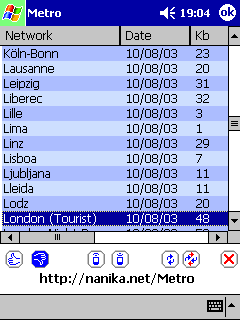
You can see the names of the databases, the last update dates, the
languages, and the full pathnames.
 |
Validate |
 |
Cancel |
 |
Receive IR database |
 |
Send IR database |
 |
Update the selected database |
 |
Update all databases |
 |
Delete the selected database |
If you see "TOO OLD" in the database line, you cannot load this database,
and you will have to delete it.
|
 |
| Top |
| |
| Preferences |
| |
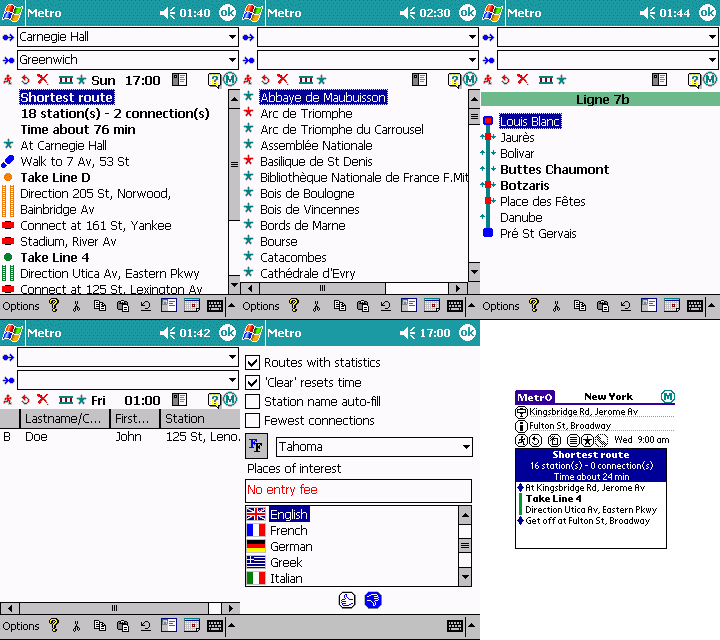
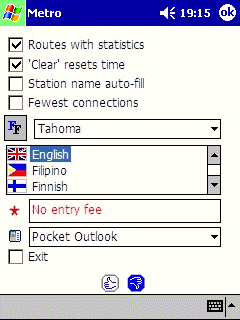
| Routes with statistics |
Include the total number of stations and connections
in the calculation results |
| 'Clear' resets time |
If you want the "Clear" button to automatically set
the travel time to the current day and hour |
| Station name auto-fill |
The program will fill the "from" or "to" field with
the first match after you have entered 3 letters, otherwise the
program will filter the list |
| Fewest connections |
If you prefer to see the route with fewest connections
first in the results (instead of the shortest one) |
 |
Choose your font.
Copy your windows fonts to the windows/fonts folder on your PocketPC |
| Flags |
Select your language |
 |
If your text is found in the description of a place
of interest, it will be displayed in red |
|
Choose your PIM application for the contacts/agenda |
| Exit |
Add an entry in the menu to quit the software |
|
 |
| Top |
| |
| Route search |
| |
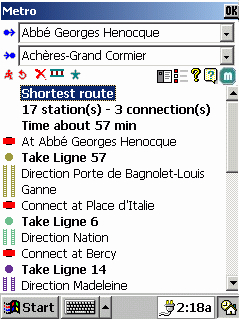
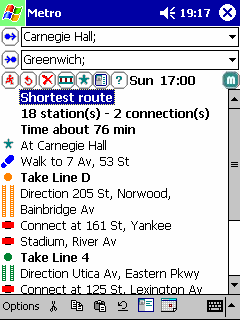
Depending on your preferences, you will see first the fewest
connections or the shortest route.
|
Places of interest
If you click on icon, it will display the details of this stop.
If you click on the text, it will recompute the travel from this stop. |
|
Places of interest
that matches your string in the preferences.
If you click on icon, it will display the details of this stop.
If you click on the text, it will recompute the travel from this stop.. |
|
Stop
If you click on icon, it will display the details of this stop.
If you click on the text, it will recompute the travel from this stop. |
 |
Direction
If you click on icon, it will display the stops between the two stations. |
 |
Line
If you click on icon, it will close the line, and recompute the travel.
If you click on the text, it will display the list of stations of this line. |
 |
Walk
If you click on icon, it will display the details of this stop. |
 |
Contact address
If you click on icon, it will display the details of this contact. |
You can enter several stations separated by
; in your "from" or "to" field
|
 |
| Top |
| |
| Contacts List |
| |
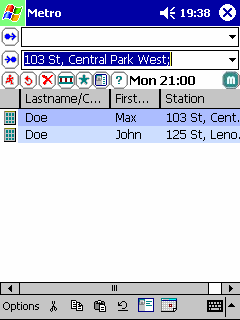
In your Contact Note, enter
<METRO TYPE="home" CITY="PARIS">stop1;stop2</METRO>
TYPE can be HOME, BUSINESS or OTHER
CITY is the name of your database
You can sort & resize the columns, just click on them. You will see only
the contacts of your currently loaded city.
| Type of the entry |
B for business
H for home
O for other |
| Last name / Company |
If there is no Last name, display the Company Name |
| First name |
First name |
| Station |
Stations of your contacts separated by commas |
|
 |
| Top |
| |
| Detail of a place of interest |
| |
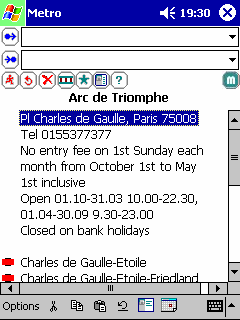
Full information about a place of interest.
Only available in selected cities.
|
Station close to this place of interest |
|
Place of interest |
|
Place of interest that matches your string in the preferences |
 |
Line connected to this place of interest, deactivated by the user.
Tap on the icon to reactivate it. Tap on the text to get the detail of the line. |
|
Line connected to this place of interest. Tap on the icon to deactivate it.
Tap on the text to get the detail of the line. |
 |
Line connected to this place of interest, closed at the selected
day and time |
|
 |
| Top |
| |
| Menu |
| |
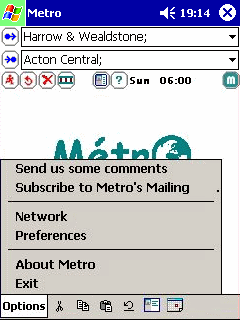
| Send us some comments |
If you want to send some comments about a network,
or if you want to thanks us!!! |
| Subscribe to Metro's Mailing List |
Send the subscription mail to be informed of releases |
| Network |
To open or manage your city databases |
| Preferences |
To change the behavior, fonts, languages of Metro |
| About Metro |
Information about Metro, the authors and the translators |
|
 |
| Top |
| |
| Detail of a contact |
| |
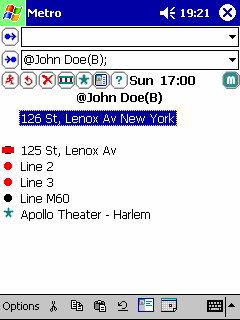
Address of the contact, business, other or home
depend on your contact type.
|
Station close to this contact |
|
Place of interest close to this contact |
|
Place of interest that matches your string in the preferences |
|
Line connected to this contact, deactivated by the user.
Tap on the icon to reactivate it. Tap on the text to get the details of the line. |
|
Line connected to this contact. Tap on the icon to deactivate it.
Tap on the text to get the details of the line. |
|
Line connected to this contact, closed at the selected day and time |
|
 |
| Top |
| |
| Detail of a contact |
| |
|
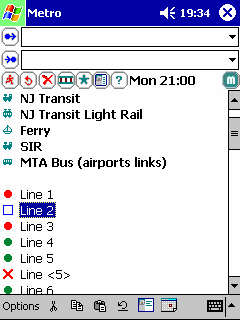
Line deactivated by user. Tap on the icon to reactivate it.
Tap on the text to get the details of the line. |
|
Line opened at this time. Tap on the icon to deactivate it.
Tap on the text to get the detail of the line. |
|
Line closed at the selected day and time. |
If you "Tap" on the Day or Time, the lines list will be refreshed.
|
 |
| Top |
| |
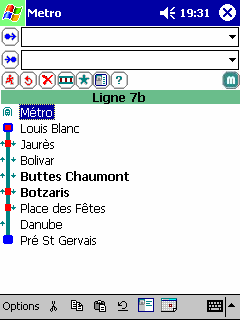
| Details of a line |
| |
Tap on the text to select the stop.
Bold stops are close to a place of interest.
Tap on the icon to get the details of the stop.

 |
First or last station of a line or branch, without connections |

 |
First or last station of a line or branch, with connections |
 |
Stop, without connections. |

 |
One-way stop, without connections. |
 |
Stop, with connections. |

 |
One-way stop, with connections. |
If you "Tap" on the Day or Time, the line will be refreshed.
|
 |
| Top |
| |
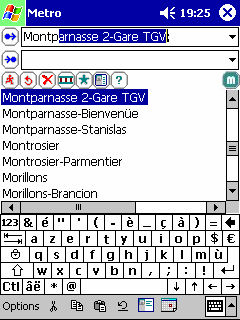
| Auto-fill option |
| |
The program will fill the "from" or "to" field with
the first match after you have entered 3 letters. |
 |
| Top |
| |
| Filtered input option |
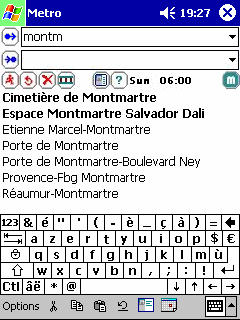
| |
The program will filter all the stations with your input
after you have entered 3 letters.
The type of comparison is defined by your regional setting.
Ex: in French accented letters are equivalent to not accented ones.
This option is not recommended for slow devices. |
 |
| Top |
| |
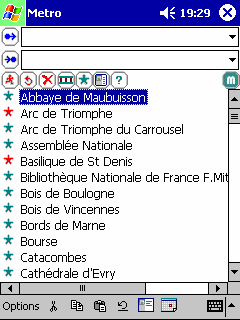
| Places of Interest (POIs) |
| |
Tap on the text to select this place of interest.
Tap on the icon to get details about a place of interest.
|
Place of interest |
|
Place of interest that matches your string in
the preferences (only in selected cities) |
|
 |
| Top |
| |
| Screenshots |
| |




 Métro
Métro