|
||
 |
||
|
|
 Métro
Métro
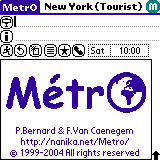
Choose Métro  in the application launcher:
"Tap" on the day and hour to select the time of your travel (in some cities only). |
 |
"Tap" on the "Lines" icon and select a line in the list: | 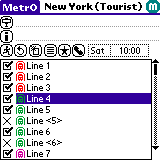 |
| The stations
on the line are listed.
"Tap" on one of them to select your departure or arrival station: |
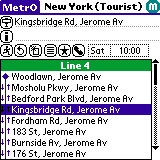 |
"Tap"
on the "Stop" icon to display the full list of
stations in the current city;
Or just enter a station name with graffiti, Métro completes the name itself: |
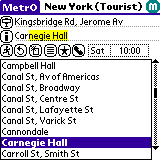 |
| "Tap" on the "Start" button to compute the optimal route: | 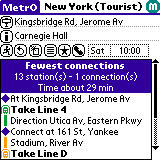 |
Select "Preferences" in the "Options" menu: | 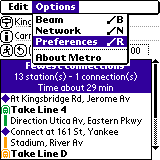 |
| Choose whether you want to get statistics on your routes and other options: | 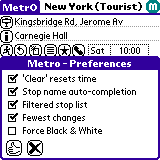 |
Tap on the "i" button or on the icons in the results to get more detailed information: | 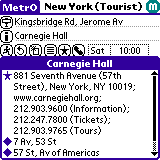 |
| Tap on the "Phone" button to display your contact list (those with a station associated): | 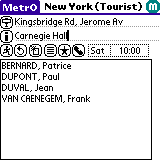 |
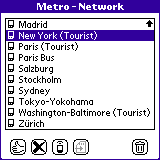
To select the city:
Use the "Network" option in the "Options" menu; Or "tap" on the city name in Métro title: |
 |
Complete Métro
|
|||
 |
Copyright © 1997-2009 Kinevia SARL. All rights reserved. Last update by Patrice BERNARD on 07/04/2009 |

Métro... |